Keep the standard visible
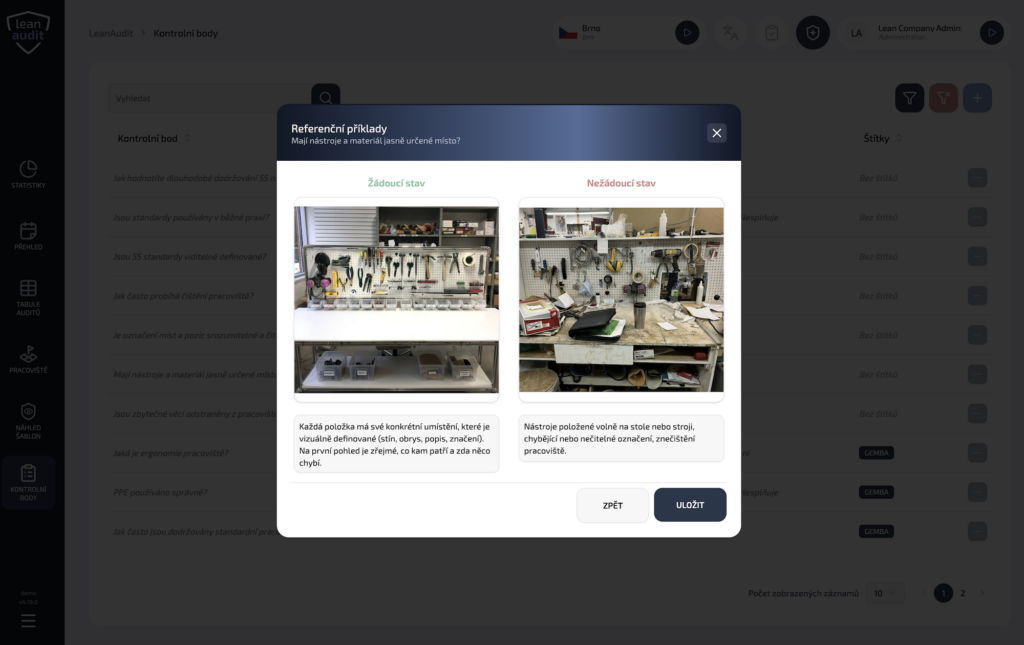
Add photos or examples to each checkpoint to show what good – and poor – conditions look like. Auditors can compare the actual workplace against the expected standard while carrying out the audit.
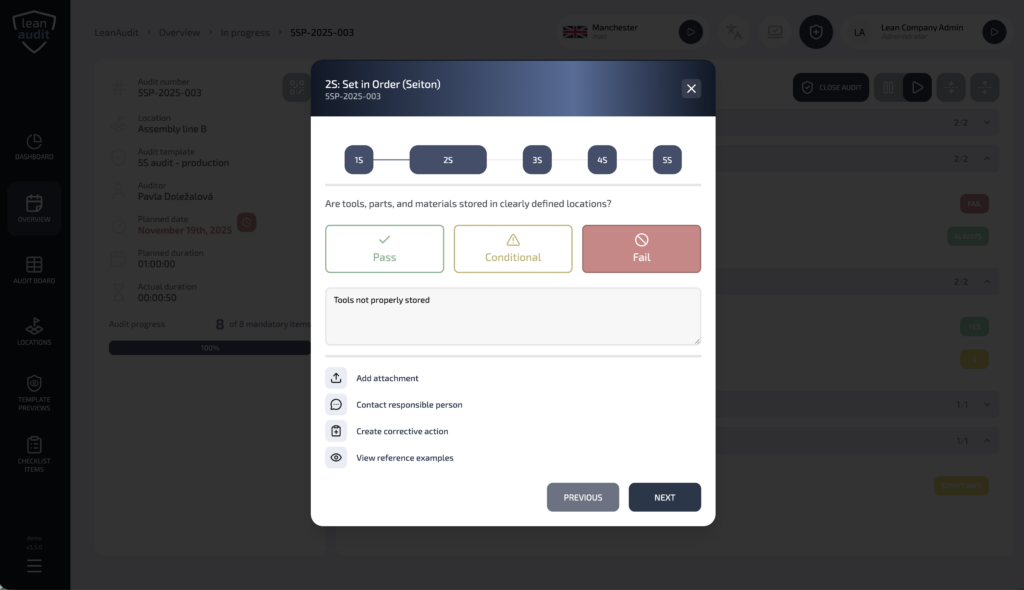
Choose the scoring method that fits your 5S approach, from OK/NOK and points to percentages, stars or a custom rating scale.
Complete the audit on your phone
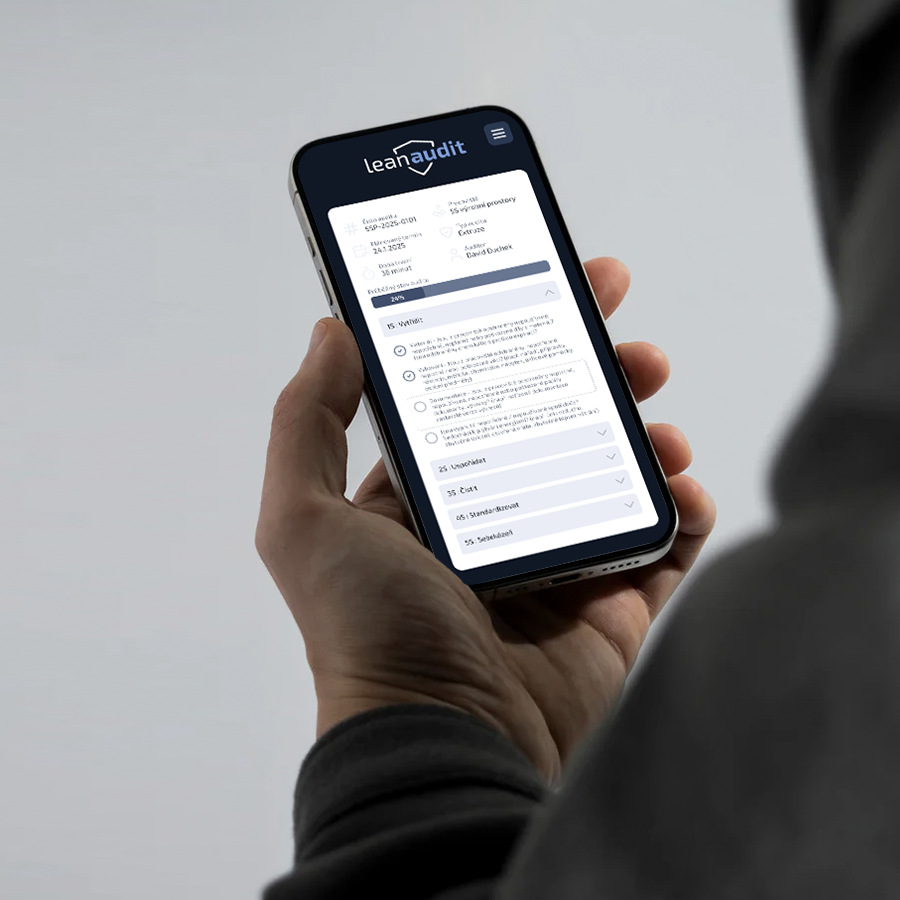
Scan a QR code to open the audit directly on a phone or tablet. Work through the checklist, record scores, add photos or comments and close the audit on the same device.
The entire 5S audit can be completed digitally on the spot, from the first checklist item to the final result.
See what is behind the score
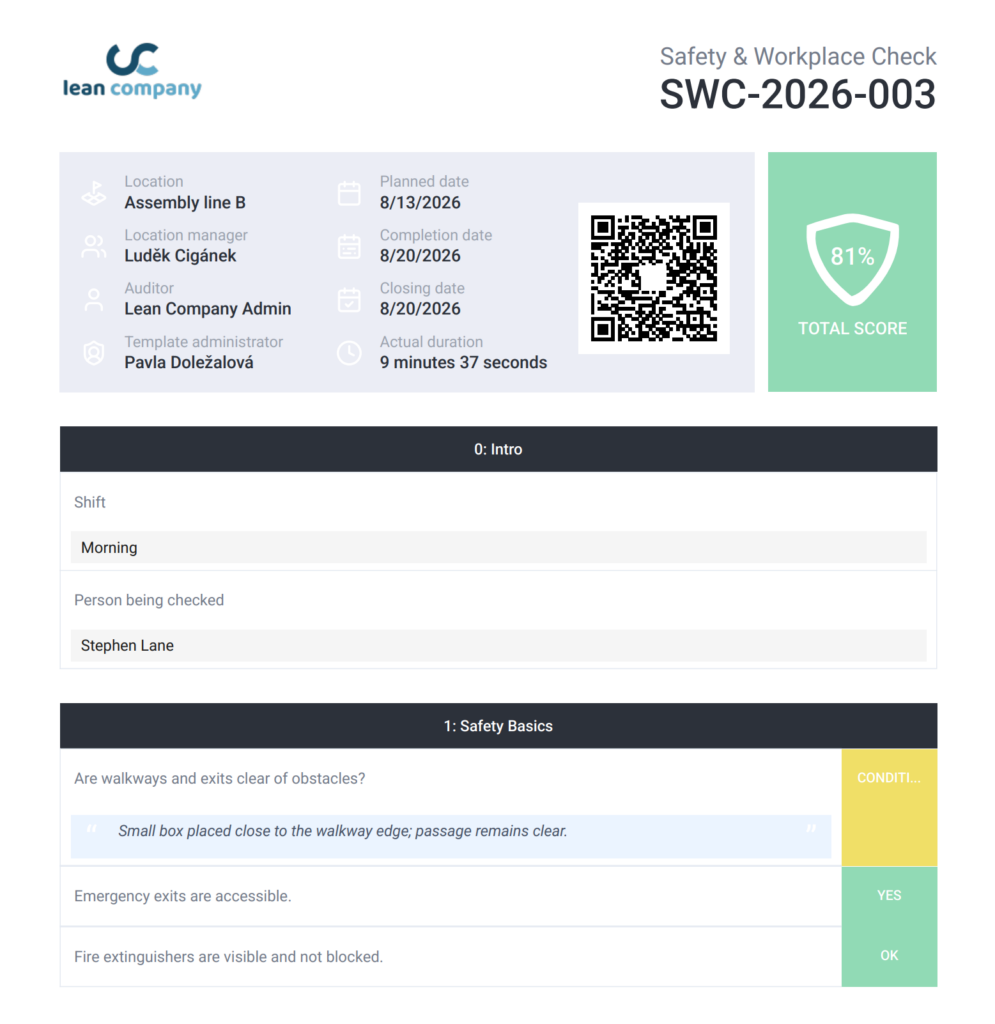
Require a photo or comment whenever a checkpoint receives an unsatisfactory rating, so the result shows not only that something failed, but what actually caused it.
Review results for the overall audit as well as individual 5S sections, and use targets to see whether each workplace is meeting the expected standard.
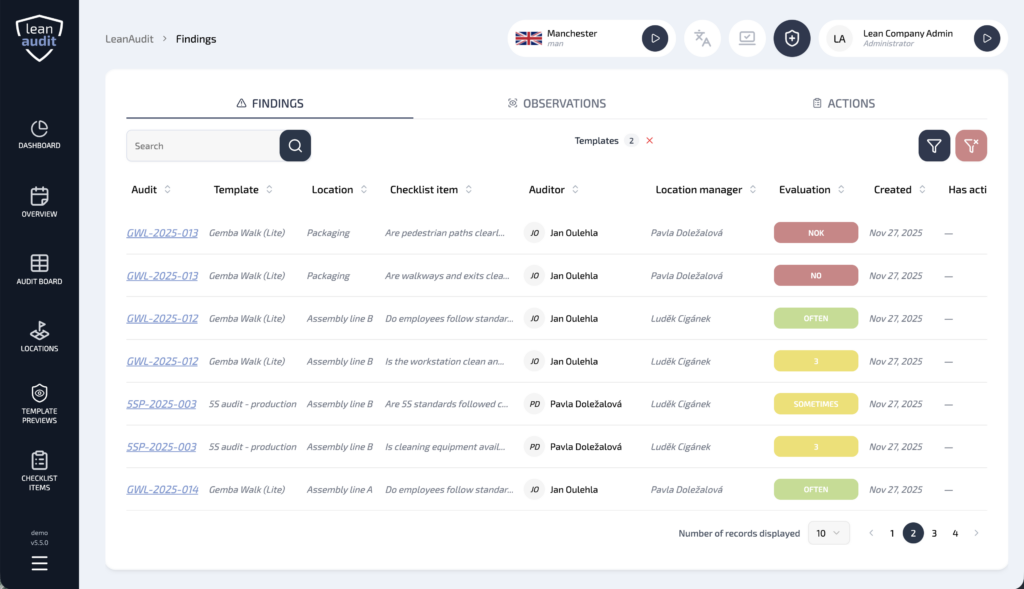
Turn findings into corrective actions
Create corrective actions directly from issues identified during the audit and track them through to completion. This keeps follow-up connected to the original finding instead of ending with the audit score.
Reporting lets you follow trends over time, compare workplaces and 5S sections, and spot recurring issues or areas where standards are improving.